
New in AI Museum Guide: audio, statements and a source behind every sentence

AI Museum Guide has four new things: two for visitors, two for the people who make the stories. Here's what's new, and what you can do with it.
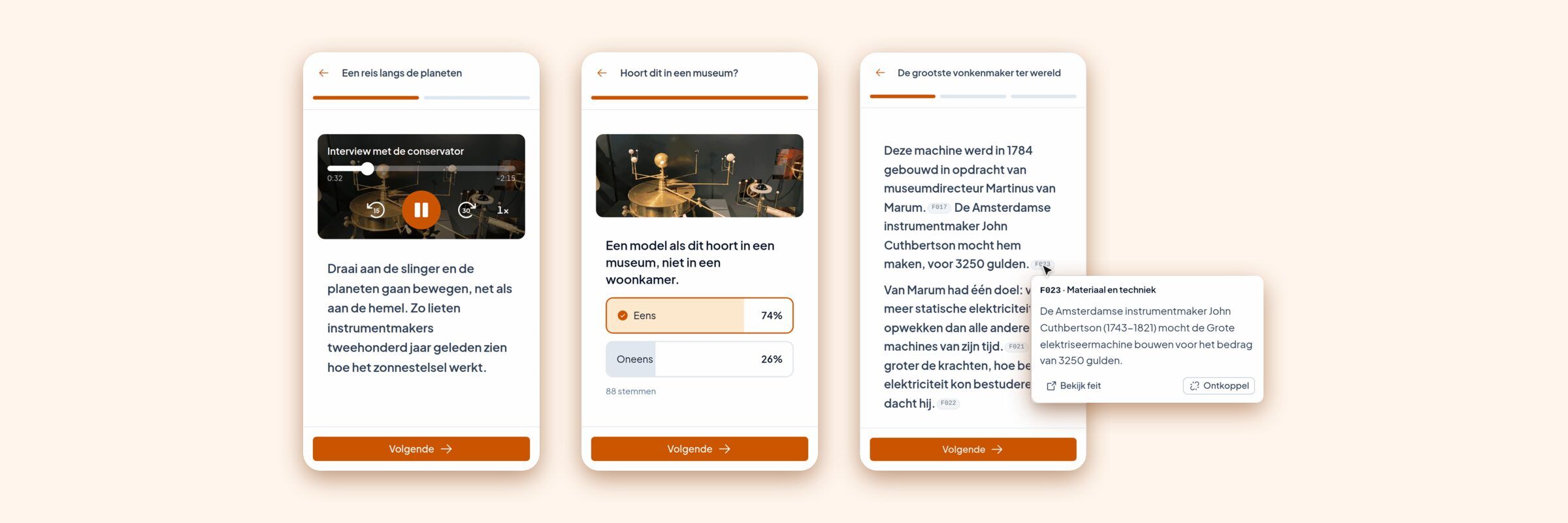
An audio clip in the story
Many museums already have great audio: an interview with the curator, a sound recording, a clip from the audio tour. You can now put it in a step of the story. Visitors listen while they look at the object, skip back 15 seconds or forward 30, and pick their own playback speed.
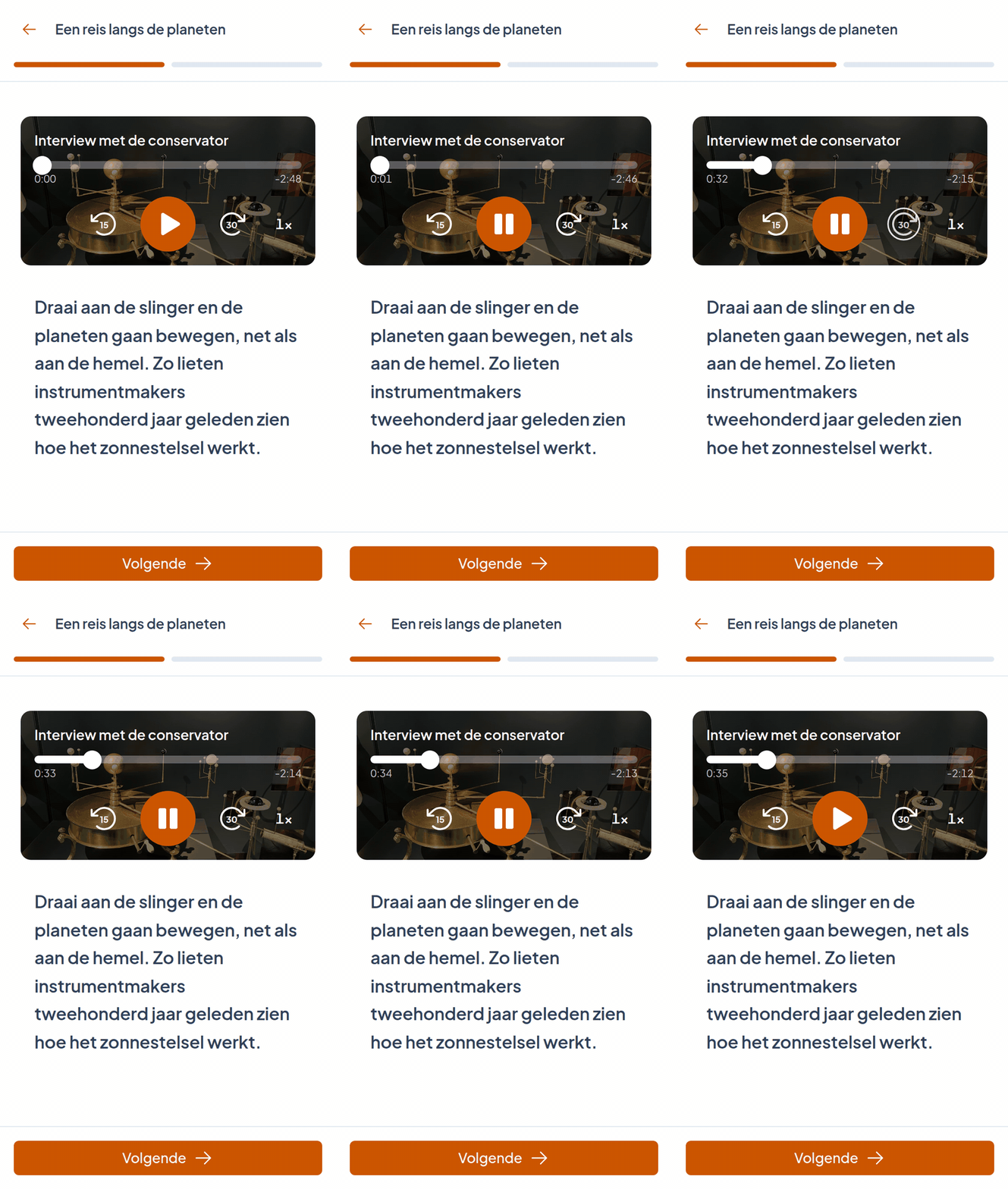
Statements: agree or disagree?
Alongside quiz questions and polls, you can now put a statement to visitors. "A model like this belongs in a museum, not in a living room." Visitors vote agree or disagree and immediately see how other visitors voted.
A statement doesn't ask for the right answer, it asks for an opinion. That gets visitors thinking, and often talking with whoever is standing next to them. And you learn from it too: what do visitors actually think?
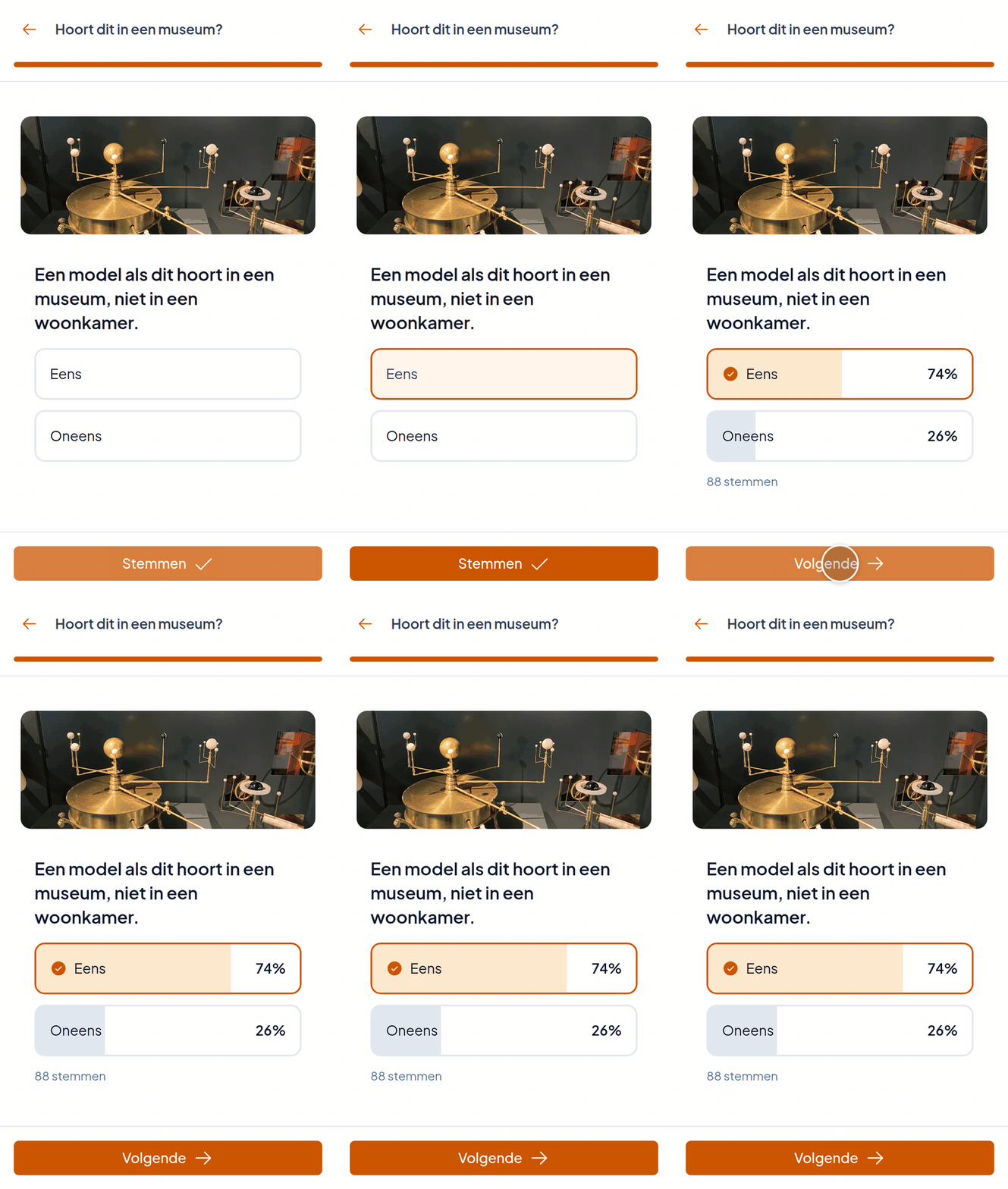
The source behind every sentence
You make the stories from your own sources: AI summarises them into facts, and the curator turns those into the story. The editor now shows which fact each sentence comes from. Hover over the label and you read the fact and the topic it belongs to. If a link isn't right, you unlink it with one click.
That way the curator can check at a glance whether a story is correct, and every sentence can be traced back to where it came from.
Write your own explanation after a quiz question
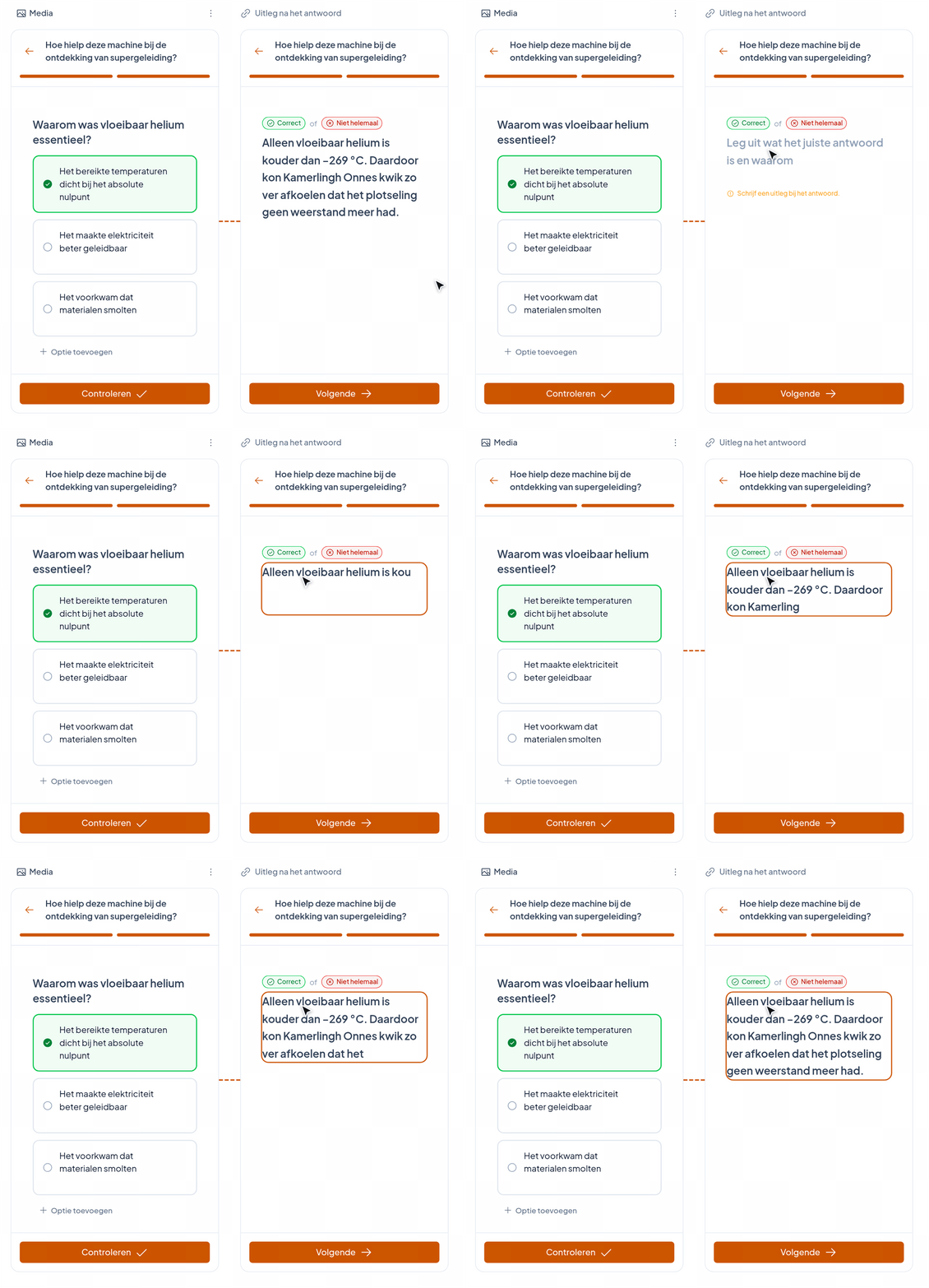
After a quiz question, visitors get an explanation: why is this the right answer? That's the moment visitors learn the most, so you want to choose the words yourself. You can now edit that explanation in the editor, right next to the question. If there's no explanation yet, the editor reminds you.
Every museum working with AI Museum Guide gets this update automatically; updates are always included in the subscription. Curious what this looks like with your own objects? Plan an intro and we'll show it with a few objects from your collection.